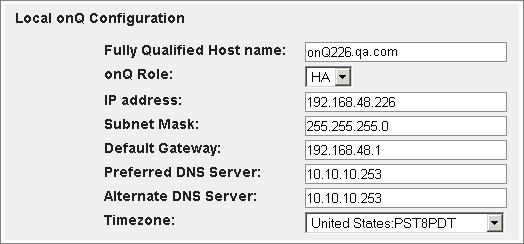
Modify Appliance’s network settings You can change a variety of settings related to your onQ Appliance, including network settings: • Fully qualified host name • IP Address • subnet mask • default gateway • Preferred and Alternate DNS servers. • onQ Appliance’s role (see Change Appliance’s role) • local time zone To modify an onQ Appliance’s network settings: 1. Log on to the onQ Appliance’s onQ Portal. 2. Go to APPLIANCE CONFIG tab > onQ (LOCAL) page > MODIFY button. The Modify Local onQ Setup page appears: 3. Make your change, then click SAVE. Click RESET to reset the fields to their initial values, or click the cancel icon (at the upper left) to discard your changes and return to the previous page.