|
1.
|
Log on to the HA Appliance’s onQ Portal.
|
|
2.
|
Go to the DASHBOARD tab.
|
|
3.
|
Observe the DR Transfer status in the page header.
|
 |
||
 |
||
|
|
||
 |
||
 |
||
|
1.
|
Log on to the DR Appliance’s onQ Portal.
|
|
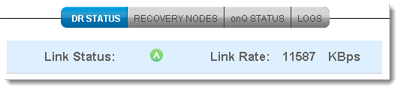
2.
|
 |
||
 |
||
 |
||
|
|
||
|
|
||
 |
||
|
|
||
|
|
||
 |
||
 |
Percentage disk usage of entire Appliance, and includes any recovery nodes that are running.
|
|