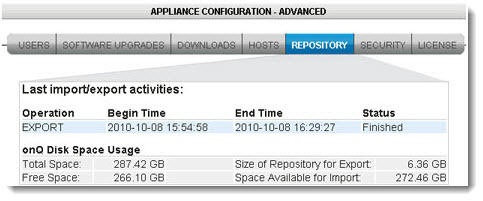
When the onQ Appliance was pre‑configured, a specific amount of disk space was allocated to the Repository for snapshots. You cannot change this allocation.
To determine disk space usage of recovery nodes:
|
1.
|
Log on to the HA Appliance’s onQ Portal.
|
|
2.
|
A Disk Usage bar appears toward the bottom of the page. This bar shows the percentage disk usage on onQ, in two ways: a percentage figure and a corresponding bar graph.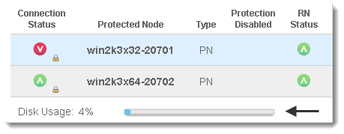
To determine disk space available to the Repository:
|
1.
|
Log on to either the HA Appliance’s onQ Portal or the DR Appliance’s onQ Portal.
|
|
2.
|