|
1.
|
Log on to the Appliance’s onQ Portal.
|
|
2.
|
Click on the RESTORE tab > WINDOWS SHARE page. onQ displays an empty page if no share was activated.
|
|
a.
|
Click on the ACTIVATE SHARE button.
|
|
b.
|
From the Active Windows Share Session popup and in the drop‑down box, select the desired protected node from which you want to restore, then START.
|
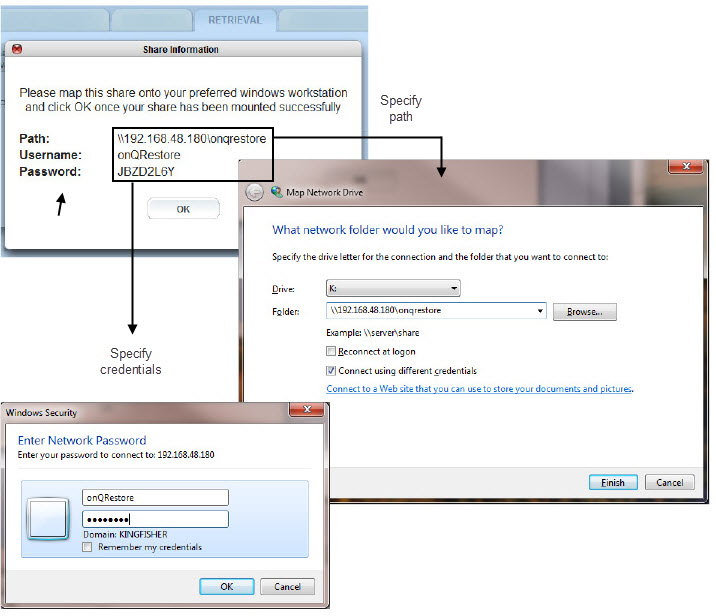
The share expires after 30 minutes of no activity. Also, if the share is not mapped on to a Windows server/client before you exit the popup, both Client and Connection Start Time values are blank.
|
1.
|
Log on to the Appliance’s onQ Portal.
|
|
2.
|
|
3.
|
Select the share from the list, then STOP SHARE.
|