Monitoring : Monitor DR Appliance

Monitor DR Appliance
Managing disaster recovery with the DR Appliance is slightly different from managing high availability, but just as simple.
The main function of the DR Appliance is to accept PN snapshots from the HA Appliance, vet them, save them to the DR Appliance, and load the most recent snapshot when the DR recovery node is needed.
To monitor from the HA Appliance:
The HA Appliance’s onQ Portal has header information that provides information about DR transfers, the HA-DR communication link, and DR disk space.
1.
Log on to the HA Appliance’s onQ Portal.
2.
Go to the DASHBOARD tab.
3.
Observe the DR Transfer status in the page header.
Mouse-over the status icon to view transfer statistics:.
To monitor from the DR Appliance:
In a nutshell, ensure that:
•
•
•
To monitor the DR Appliance:
1.
Log on to the DR Appliance’s onQ Portal.
2.
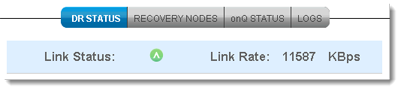
Go to DASHBOARD tab > DR STATUS page.
3.
Percentage disk usage of entire Appliance, and includes any recovery nodes that are running.

v3.6 SP1
v3.6 SP1