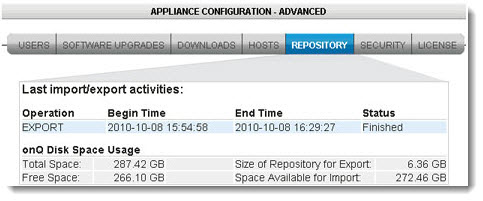
onQ can report on the disk usage of the onQ Appliance’s Repository and recovery nodes through the onQ Portal as outlined below, or through the onQ Monitor as outlined in Monitor multiple onQ Appliances.
When the onQ Appliance was pre‑configured, a specific amount of disk space was allocated to the Repository for snapshots. You cannot change this allocation.
To determine disk space usage of recovery nodes:
|
1.
|
Log on to the HA Appliance’s onQ Portal.
|
|
2.
|
A Disk Usage bar appears toward the bottom of the page. This bar shows the percentage disk usage on onQ, in two ways: a percentage figure and a corresponding bar graph.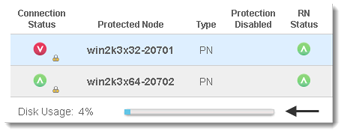
To determine disk space available to the Repository:
|
1.
|
Log on to either the HA Appliance’s onQ Portal or the DR Appliance’s onQ Portal.
|
|
2.
|