onQ emails you a Backup Activity Report on a daily basis. If you are not receiving this report, ensure that you have alerts enabled and that your email program is not sending the emails to your SPAM folder.
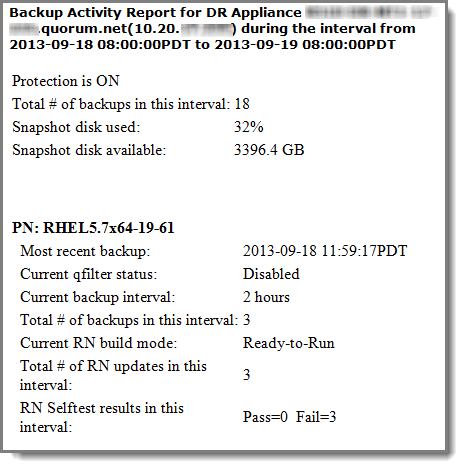
If the Backup Activity Report shows failures, generate the applicable logs to get more information. For example, if a Self Test failed, generate the Self Test Log for the specified time period.
|
•
|
Backup Statistics (BackupStats.csv) - byte information for all transfers.
|
|
•
|
Alert Activity (Alerts.csv) - summary of all alerts sent by onQ Central.
|