DR mirroring enables you to replicate the data in the DR repository to another onQ Appliance, a DR Mirror. A DR Mirror is identical to the DR Appliance. The data moves from the HA Appliance to the DR Appliance, as usual. The only difference is that, with DR mirroring, the DR Appliance transfers/replicates the data on to the DR Mirror.
In a typical DR mirroring configuration, there are 3 different appliances: HA Appliance, DR Appliance, and DR Mirror. However, you can “daisy‑chain” as many DR Mirrors as you would like; in this case, the DR Appliance is chained to the first DR Mirror, and the first DR Mirror is chained to the second DR Mirror (and so on) by way of trust relationships.
|
1.
|
Log on to the DR Appliance or DR Mirror’s onQ Portal.
|
|
2.
|
|
3.
|
|
4.
|
Select the Enable DR Mirroring?: Yes radio button.
|
Mirror onQ is the DR Mirror that you want to mirror. A DR Mirror can mirror a DR Appliance or, in the case of multiple DR Mirrors, the next DR Mirror in the chain.
|
6.
|
Click SAVE.
|
Before you disable DR mirroring, ensure that your onQ Appliance has enough disk space to accumulate backups. For the related alert, go to PN Disk Space Alerts.
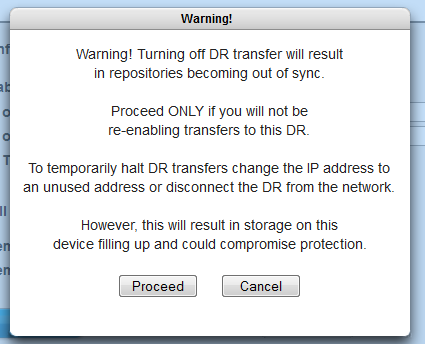
Stopping protection on the HA Appliance will also keep the repositories in sync, but the downside is that the HA Appliance will not perform any backups until you turn on protection. This method is not recommended.