Monitoring : Monitor backups

Monitor backups
onQ Manager provides two main tools to help you monitor your backups:
•
•
•
•
From a protected node’s dashboard, you can get insight into
backup transfer margin for that protected node’s backups. The backup transfer margin icons indicate how well backups and DR transfers are keeping up with the scheduled interval.
In the event that the interval isn’t met, the Event Log indicates scheduled backup request for <pn_name> occurred before previous backup completed....In this case, increase your interval time so as to avoid this scenario.
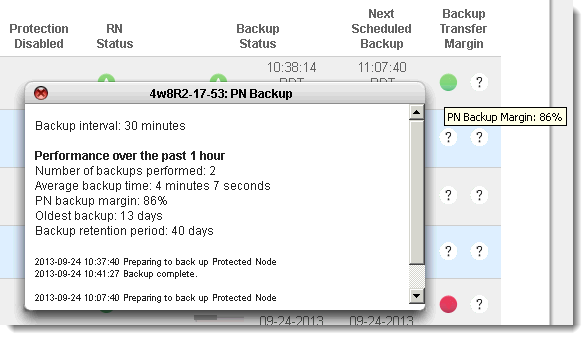
If you want to see recent backup events for individual recovery nodes, simply mouse‑over the recovery node on either the HA Appliance or the DR Appliance:
Lastly, be sure to browse the Backup Activity Report on a regular basis and all critical alerts.

v3.6 SP1 HF1
v3.6 SP1 HF1