|
1.
|
Log on to the HA Appliance’s onQ Portal.
|
|
2.
|
|
3.
|
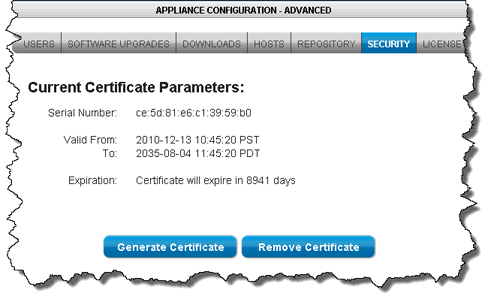
Click Remove Certificate, then Yes to remove the existing certificate on the onQ Appliance. An example certificate is as follows:
 |
|
4.
|
Click Generate Certficate.
|
Don’t start protection yet. If you start protection your protected nodes indicate that they have an unsecure connection (see Monitor protected nodes), and this is expected behavior.
onQ automatically installs the certificate that you generate when you enroll protected nodes and again when you upgrade them. However, you can manually install them, if you desire.
|
1.
|
Log on to the HA Appliance’s onQ Portal.
|
|
3.
|
From that PN, launch the HA Appliance’s onQ Portal.
|
|
4.
|
|
5.
|
Click Yes to download the file to the protected node. Your browser saves the file to its default location.
|
|
6.
|