onQ supports both agent‑based and agent‑less PNs. Nodes that are not hosted by VMware require that an agent (onQ Service) be installed. Agent‑based enrollment enables you to use all of the operation and monitoring features that onQ has to offer.
|
2.
|
|
4.
|
(Redhat 6.x PNs with EFI boot) Copy and modify /boot/grub/menu.lst:
|
|
Note: If you want a custom boot menu, create a /boot/grub/grub.conf.xvf5 file. If .xvf1 thru .xvf4 exist, delete them because those files have a higher priority than .xvf5.
|
|
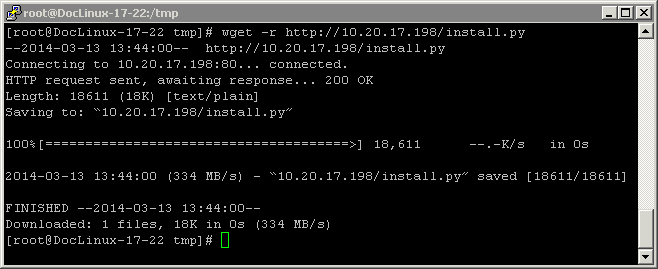
Note: By default, wget preserves the original files. Newly retrieved install.py are saved with extensions .1, .2, etc. Use the -r option (see wget man page) to overwrite the existing file.
|
|
# wget -r http://<onQ-IP-address>/install.py
|
|
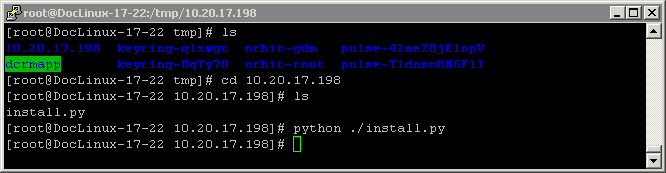
# cd <onQ-IP-address>
# python ./install.py
|
|
•
|
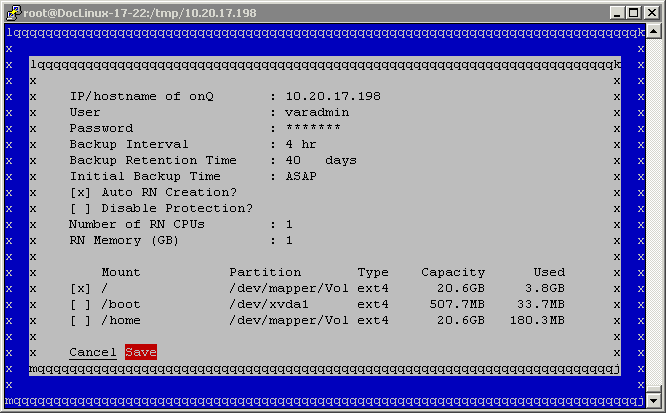
For any Linux PN, you must protect both / and /boot and any other mount points that contain the necessary software to boot the RN.
|
|
•
|
For PNs running RHEL 5.x and due to the known limitation outlined in Linux RN Limitations, set the Format (file system type) parameter for both the root partition (/) to ext3.
|
|
f.
|
|
g.
|
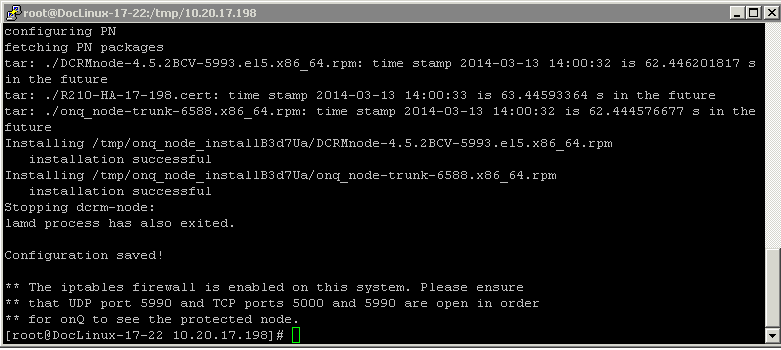
Wait! Do not press Enter. Was the installation successful? Use the error messages below to evaluate the screen output.
|
|
•
|
If no, press Enter to launch the installer UI again. Correct the problem, then repeat Step e through Step g.
|
|
Install utility stops if you type incorrect/invalid values. Correct the problem and Save again or Cancel.
|
|
|
Turn off protection (go to Stop node protection). Press Enter for the GUI’s curser to reappear. Utility preserves all values entered previously.
|
|
|
7.
|
(Redhat 6.x PNs) On your yum‑enabled PN, run the following command to install the Netcat (nc) utility, then verify that the package was installed. This utility reads and writes data across network connections using TCP or UDP. onQ depends on this utility for FLR restores. 5.x RHEL installs this utility by default.
|
|
# yum install nc
# which nc
# rpm -qf /usr/bin/nc
|
|
•
|
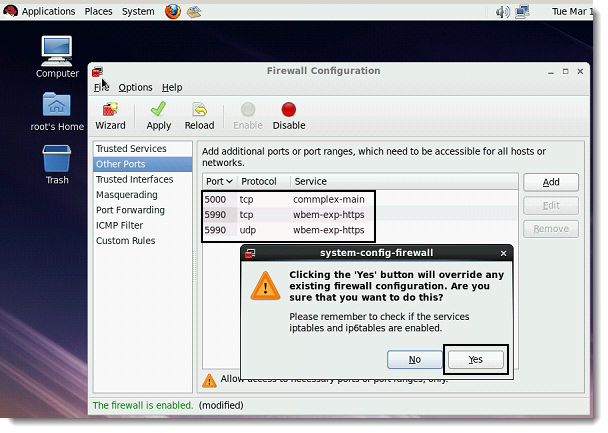
UDP port 5990
|
|
•
|
|
9.
|
(Oracle database) Install RMAN scripts.
|
If the PN has an Oracle database, install the RMAN scripts so that onQ can execute a hot backup of your database as outlined in Back up and restore Oracle 11g database on Linux.