Troubleshooting : Generate Support Log

Generate Support Log
If requested by Quorum Support, email your support engineer the Support Log. This log provides additional information to help Quorum Support troubleshoot issues with your onQ Appliance.
To generate a Support Log:
1.
2.
Go to APPLIANCE CONFIG > ADVANCED > DOWNLOADS.
3.
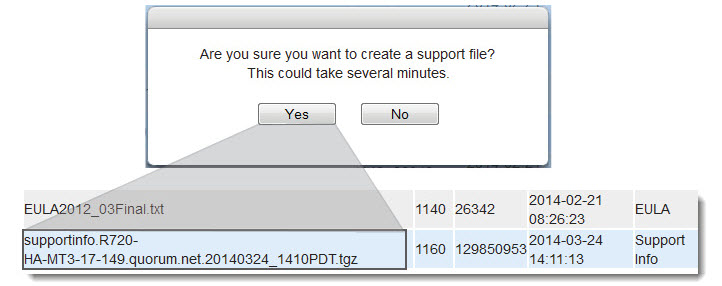
Click on the SUPPORT button, then Yes to generate the log (.tgz file).
4.
From the DOWNLOADS tab, scroll down to the end of the download list and select the file that you just generated, then click the DOWNLOAD button to save the Support Log.
5.
This Support Log is quite large, and many email systems will reject it. If you have problems emailing this file, contact Quorum Support.

v3.8 HF1
v3.8 HF1