To stop an individual recovery node in production mode:
|
1.
|
Log on to the HA Appliance’s onQ Portal. In the event of a site failure, this HA Appliance was formerly your DR Appliance before you changed its role.
|
|
2.
|
|
3.
|
|
4.
|
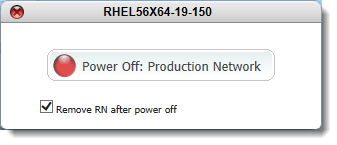
Click the button in the Power State column, then Power Off: Production Network button, leaving the Remove RN after power off check box selected.
 |
|
5.
|
|
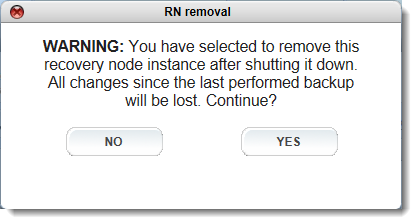
Note: If you were testing an RN in production, you’d want to clear the Remove RN after power off check box so as to save the RN for future use. However, you’re trying to recover from a failed PN, and so it’s not important that you keep this RN.
|
|
•
|
|
•
|
Otherwise, perform a BMR using QUARK to restore to this RN (aka Recovery PN) as outlined in (Workflow) Fail back an RN to a PN.
|