|
•
|
Agent‑less PN enrollment. onQ’s VMware Real Agentless protection provides the following benefits:
|
|
•
|
In addition, agent‑less enrollment is the only possible solution for systems where persistent agents or dynamic processes are not allowed. For more information, go to (Agent‑less Linux/Windows PNs) Enroll protected nodes, Agent‑less PN Enrollment Limitations, and (Agent‑less PNs) Troubleshoot Connection and Backup Problems. 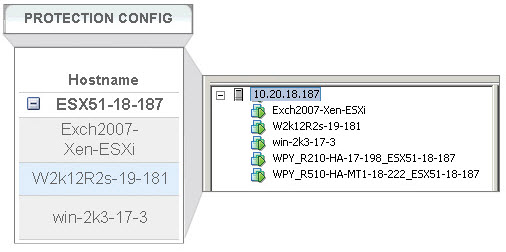
|
•
|
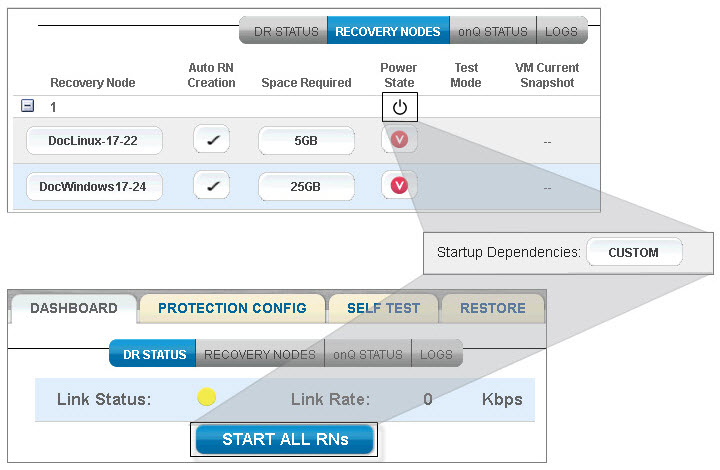
Startup dependencies and grouping. onQ enables you to automate the boot order of your RNs and create groups on which the startup dependencies depend. For more information, go to Configure startup dependencies and Cancel or override RN startup process.
 |
|
•
|
onQ Proxy and onQ Central Proxy enhancements. For more information, go to About onQ Proxy and Specify onQ Central Proxy.
|
|
•
|
Web‑based VNC Console. You can now launch your RN’s using the new web‑based VNC console. For more information, go to Launch recovery node’s console.
|
|
•
|
PN Configuration Log. A new log to support Compliance Reporting. For more information, go to Retrieve logs.
|
|
•
|
UI performance improvements. The Dashboard tab and other tabs in the onQ Portal for HA, DR, DR Mirror, and AV load much faster in this release.
|
|
•
|
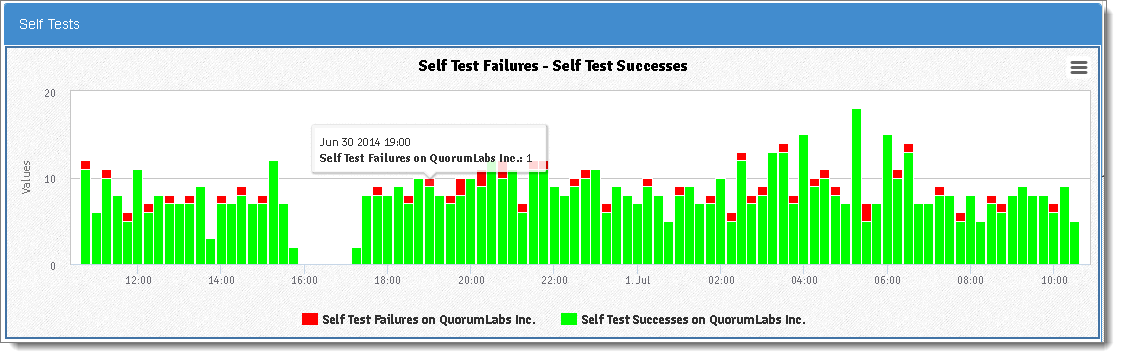
Enhanced Reporting. onQ Monitor enables you to generate reports (charts and graphs) that provide you both realtime and historical data to help you understand your system and prevent system failures. For more information, go to Generate on‑demand reports.
 |
|
•
|
PN Health Report. Also called PN intelligence data, this report can help debug and predict PN issues. This report is delivered as an attachment to the Backup Activity Report. This report is not currently available for agent‑less PNs. For more information, go to Backup Activity Report.
|
|
•
|
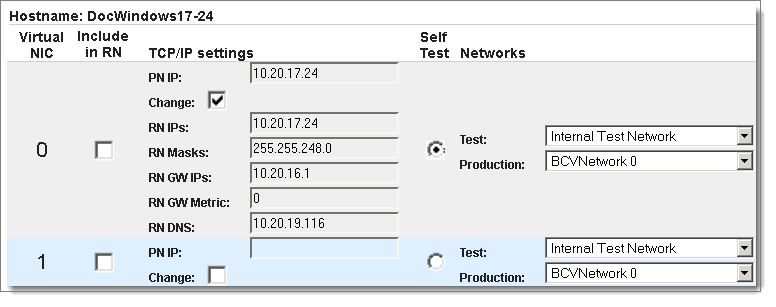
Multi‑network and VLAN support. Using both multi‑network support and VLAN support, onQ can easily emulate your production network. Previously, if your PNs were on different subnets or you used VLANs, you had to use a single interface and lots of help from Quorum Support to properly configure the onQ. Now, all the bells and whistles are available at your fingertips through the onQ Portal! Additionally, you can create complex test networks to test your RNs. For more information, go to Create Custom Networks for RNs and Example: Separate VLAN for Accounting Traffic.
 |
|
•
|
QUARK enhancements. For more information, go to Restore PNs Using QUARK.
|
|
•
|
Volume level restore for both Full BMR and Incremental options, providing you the ability to restore only the target OS drive.
|
|
•
|
Network configuration for multiple NIC. QUARK GUI displays all available NICs, enabling you to choose any NIC to configure the static IP.
|
|
•
|
Complete PN layout information and restore and allocated sizes, enabling you to specify appropriate sizes for volumes when disks are configured for BMR.
|
|
•
|
Mount point management, enabling you to create/delete PN Mount points from within QUARK GUI.
|
|
•
|
Automatic reassignment of disk letters for USB/CD-ROM. If a USB or CD-ROM takes a PN drive letter, QUARK automatically reassigns the USB/CD-ROM a different drive letter, eliminating any manual step to change the drive letter using Diskpart.
|