In the event that onQ needs to free up disk space, it will expire backups that agree with your retention policy. In the event that onQ is low on disk space, you will receive one or more alerts outlined in onQ Disk Space Alerts. If onQ is unable to expire backups because doing so conflicts with your retention policy, you might need to reduce the number of days that you specified in the node’s retention policy.
|
1.
|
Log on to the onQ Appliance’s onQ Portal.
|
|
2.
|
Click the PROTECTION CONFIG tab.
|
The PROTECTION CONFIG tab on a DR Appliance is slightly different from its HA counterpart. The DR’s tab shows the HA Appliance’s backup retention time as well as its own backup retention time: 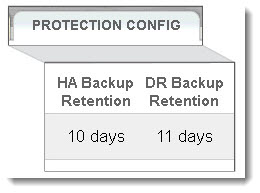
|
4.
|
In the Backup Retention Time field, specify (in days) how long you want onQ to retain backups, then SAVE.
|