onQ can create recovery nodes either automatically with each backup cycle or on-demand when requested. This policy represents your potential downtime in the event of a disaster (aka RTO).
|
•
|
Ready-to-Run (aka Instant Disaster Recovery) - When set to Auto RN Creation=Yes, the RN is updated after each backup cycle, and is one‑click away from taking the place of the PN. Go to Start recovery nodes on HA Appliance to see how easy it is to bring an RN online.
|
|
•
|
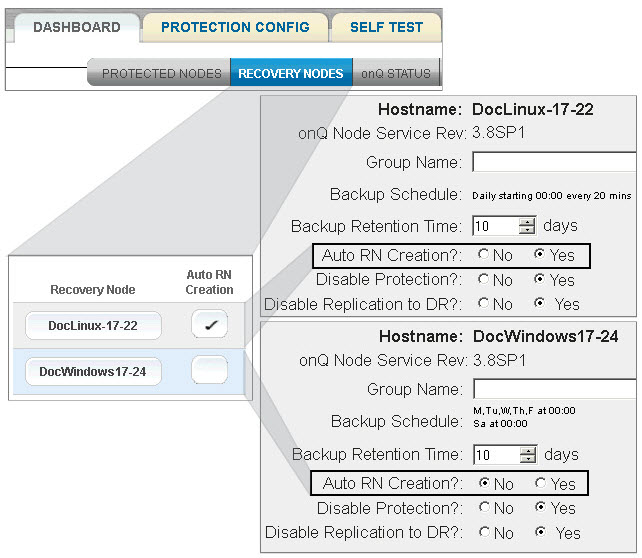
Build‑on‑Demand (aka Recovery on Demand) - When set to Auto RN Creation=No, the RN is only built when requested through the onQ Portal. This process may take a few hours or more, depending on a few factors. There must be enough disk space on the onQ Appliance to accommodate the RN. The BoD (Build‑on‑Demand) policy is typically used to conserve onQ Appliance resources by creating RNs less frequently and only as they are needed, or when you are using the onQ Flex product.
 |
|
1.
|
Log on to the HA Appliance’s onQ Portal.
|
|
2.
|
|
3.
|
|
•
|
(All RNs) Click either the ALL BoD or ALL AUTO button at the bottom of the page, then click Disable RN Auto Creation/Enable RN Auto Creation to switch all RNs to a given policy.
|
|
•
|
(Single RN) Click the Auto RN Creation button next to the RN, then click Disable RN Auto Creation/Enable RN Auto Creation to switch to the other policy.
|
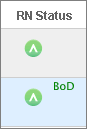
The acronym BoD (Build‑on‑Demand) appears next to the RN Status icon if Auto RN Creation is set to disabled.