Even when you schedule backups during non‑working hours, backups can occur during unscheduled times (working hours) due to queued snapshots. Queued snapshots can occur if onQ is overly busy backing up other PNs or if the PNs have short backup intervals.
|
1.
|
Log on to the HA Appliance’s onQ Portal.
|
|
2.
|
|
3.
|
|
4.
|
Locate the PN with a backup in progress as indicated by the Backup Status column (see Monitor backups).
|
|
5.
|
Click on the Backup Status button. The Backup Status in progress dialog appears.
|
|
6.
|
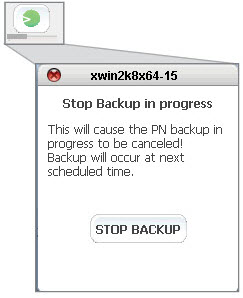
The backup will automatically run at the next scheduled interval as displayed in the Next Scheduled Backup column.
|
7.
|
(Optional) Consider increasing your backup interval to prevent queuing of backups.
|