|
1.
|
Log on to the onQ Appliance’s onQ Portal.
|
|
2.
|
|
3.
|
|
4.
|
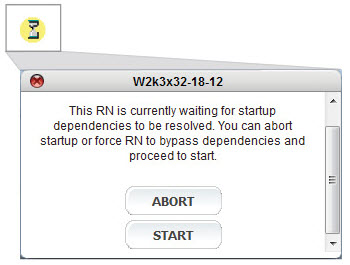
Click the button in the Power State column, then click:
|
|
•
|
ABORT - to cancel the startup process. Fix the dependency problem, then restart.
|
|
•
|
START - to override the dependencies and start the RN. Fix the dependency problem.
 |