|
•
|
Ability to disable replication. You can now disable replication for protected nodes that are not important for business continuity. In doing so, onQ will still generate backups for them and archive the backups as instructed. For more information, go to Protected Node Parameters.
|
|
•
|
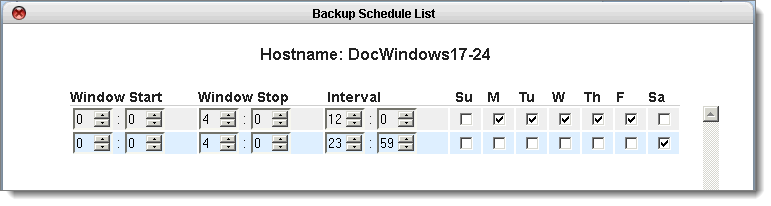
Granular backup scheduling. You now have more control than ever over your backups. If your network is plagued with low bandwidth, take advantage of granular scheduling. For more information, go to Schedule backups.
 |
|
•
|
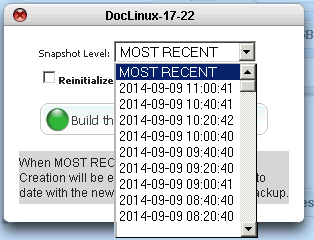
Ability to build RNs from selected snapshots. You can now choose to build an RN from a given snapshot. You are no longer restricted to building an RN from the most recent snapshot. For more information, go to Recreate recovery nodes.
 |
|
•
|
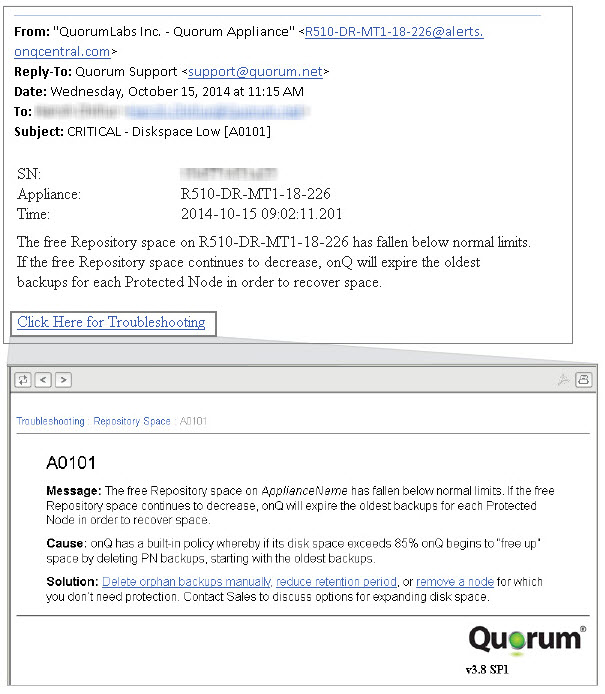
Context-sensitive Troubleshooting. Email alerts now provide you context-sensitive troubleshooting tips. Simply click on the Click Here for Troubleshooting link in the email alert to be directed to the related Online Help topic. Where applicable, you’ll be given tips to help resolve issues with your PNs or onQ Appliance, including backup failures and disk space errors.
 |
|
•
|
onQ Flex. A new configuration that provides you Instant Recovery for those system that are critical to business continuity and Recovery on Demand for all other systems. This configuration has a couple nuances that you need to know about: see About onQ Flex.
|
|
•
|
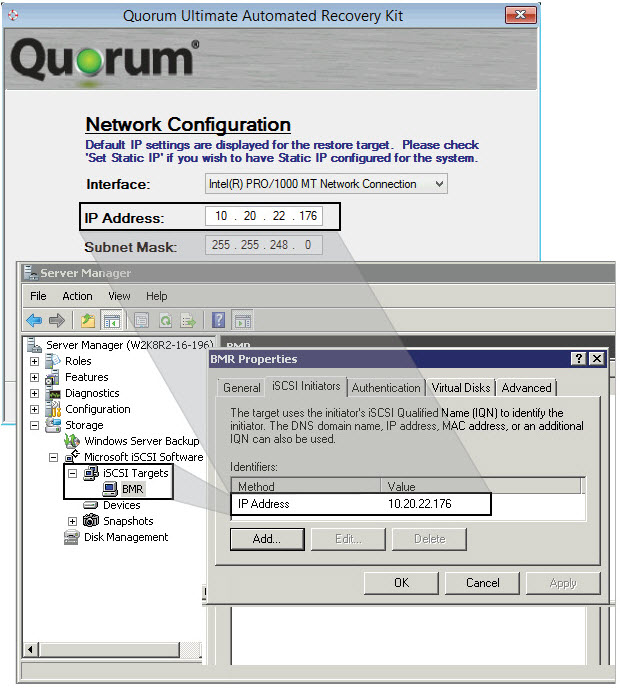
iSCSI support. onQ can now protect and restore iSCSI devices. In the case of a restore, simply add QUARK (BMR target) to the iSCSI target’s initiator list, add the iSCSI devices to QUARK’s Disk Configuration page, then leave the rest up to QUARK!. For more information, go to (Step 2) To restore data to your PN:.
 |
|
•
|
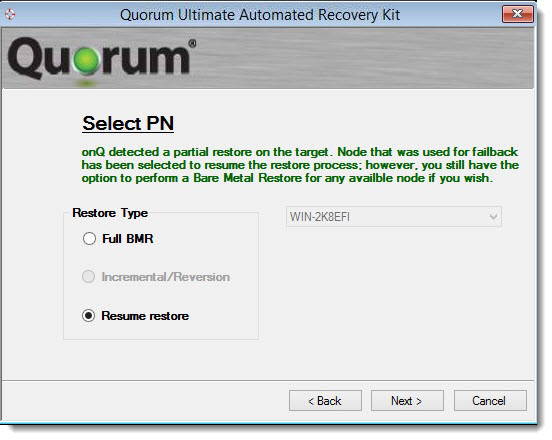
Ability to resume a restore. In the event that a restore fails due to a 48-hr timeout issue, or any other reason, the onQ detects this restore failure. In turn, the wizard enables you to resume the restore, “beginning where QUARK left off”. For more information, go to (Step 2) To restore data to your PN:.
 |