This feature (via the File Backup Only parameter) feature can only be enabled by Quorum Support and is typically used only for file servers.
For an include list, Quorum recognizes file- and folder-names expressed as IEEE POSIX Basic Regular Expressions (BRE). You will find a synopsis of BRE syntax at http://en.wikipedia.org/wiki/Regular_expression.
This procedure assumes that you’re modifying the include list for an existing protected node. However, you can perform this procedure from either the Add Protected Node page or the Modify Protected Node page. Include lists are specific to the protected node’s operating system.
|
1.
|
Log on to the HA Appliance’s onQ Portal.
|
|
2.
|
Click the PROTECTION CONFIG tab.
|
|
3.
|
Select the node, then Modify.
|
|
4.
|
|
5.
|
|
•
|
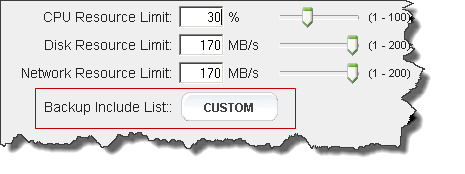
Click Save - onQ Portal saves your exclude list as shown in the list, then returns you to the previous page. The Backup Exclude List: button is labeled Custom.
|
|
•
|
Click Revert - onQ Portal discards your changes, then returns you to the previous page. The Backup Exclude List: button does not change.
|